
Retail · PRESS RELEASE
Ecomwith's New Store Launch Self-Check Separates What a Crawler Can See From What Only the Owner Can Confirm
Ecomwith's New Store Launch Self-Check scans a store's public pages for trust, policy, checkout, tracking, SEO and mobile gaps, asks the owner to confirm what a crawler cannot prove, and links each fix to a lesson. It needs no Shopify app install.
# Ecomwith's New Store Launch Self-Check Separates What a Crawler Can See From What Only the Owner Can Confirm
**Summary:** Ecomwith's New Store Launch Self-Check scans a store's public pages for trust, policy, checkout, tracking, SEO and mobile gaps, asks the owner to confirm what a crawler cannot prove, and links each fix to a lesson. It needs no Shopify app install.
RICHMOND HILL, Ontario — Plenty of first-time store owners decide they are ready to launch when the homepage looks finished. Ecomwith's New Store Launch Self-Check starts from a different rule, written on its own page: a store is ready when trust pages, checkout, tracking, SEO basics, mobile experience, product promises and fulfilment evidence are all acceptable.
The self-check is meant to be run before a Shopify or other independent store opens to paid ads, influencer traffic or email campaigns. The page also suggests running it after a theme change, before a major campaign, or when paid traffic converts poorly and the team suspects the problem is on the store side.
A scan has four steps:
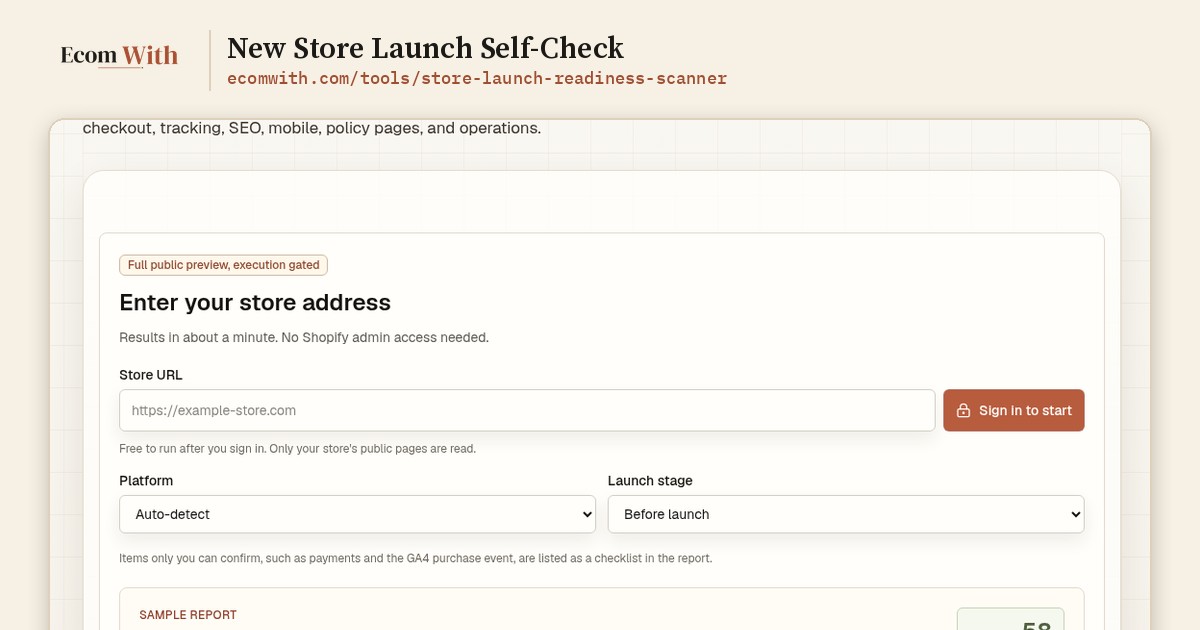
1. Enter the public store URL and choose the platform, category, market and launch stage, so the right checklist is used.
2. Confirm the pages the scanner should look for: homepage, shipping, refund, privacy, terms, contact, product and collection pages.
3. Mark the checks that public crawling cannot prove, such as a completed test payment, mobile checkout, GA4 purchase events and Search Console submission.
4. Read the report: a readiness score, issue severity, public findings, the owner's confirmations and links to the Ecomwith lessons that cover each fix.
The page gives an example. A store with good product pages but no return policy, weak evidence of mobile checkout and no confirmed GA4 purchase event should fix policy, checkout and tracking before any ad money goes out.
There is no Shopify login or app to install; the first version works from public pages, while still detecting Shopify and applying Shopify-specific checks. Running a scan needs a free Ecomwith account, because each scan creates crawl work and a saved report. Basic accounts can scan up to 10 pages, Pro up to 20 and Max up to 50. Visitors who are not signed in can view the tool and a sample report.
The page is clear about what the scan is not. It does not replace a full human audit, and legal claims, payment account status, fulfilment promises and analytics purchase events still need the owner's own check.
"A missing refund page or a purchase event that never fires costs almost nothing to fix before launch," said Ranfeng Wei, founder of Ecomwith. "Find it after the first ad budget is spent and it costs a lot more."
The self-check: https://ecomwith.com/tools/store-launch-readiness-scanner
Ecomwith's 2026 Shopify launch checklist: https://ecomwith.com/blog/shopify-store-launch-checklist-2026
**About Ecomwith**
Ecomwith publishes lessons and tools for people who run online stores, in English and Chinese. Its 20 tutorial series and 214 lessons are arranged by store stage, from not live yet to running a steady profit. It is based in Canada.
**Media contact:** Ranfeng Wei — des@ecomwith.com — https://ecomwith.com
---